
Best Buy Reward Zone Members: Earn 25 More FREE Points (Via the Facebook App)

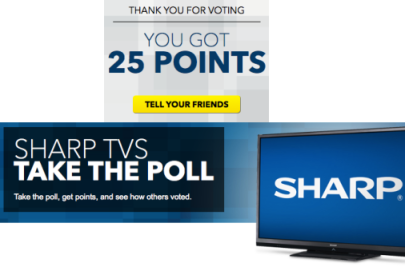
If you’re a Best Buy Reward Zone program member (it’s free to sign up!), you can currently score yet another 25 FREE Reward Zone points! Just head to the Best Buy Reward Zone Facebook App by signing in or registering for an account, then click on the “User Poll” tab and take the Sharp Big Screen User Poll. After taking the poll, a pop up should come up stating that you just earned 25 points! Yay! 🙂
And keep in mind that you only need 250 points to score a $5 Rewards Certificate!
(Thanks, Clip & Follow!)




Thanks Collin.
Thank you.
If you click on Ultimate Space you will get another 50pts
thanks!
I did this too!! Thanks for the heads up 🙂
Thanks Collin!
Anyone know if the polls reset every day?
they reset every day 12am est
Also get 25 pts for voting in member’s choice
Lol! I got a pop up that said, “Thanks for voting! You got 0 points!”
The other day it said I got 0 points after I voted, but when I checked “My Account” it showed that I had received my points for voting in the poll that day. Also I’ve voted enough in the daily polls that I finally crept up to enough points for the $5 certificate. Thank you very much for posting Collin!
I went and checked my account. You were right! I was credited the points!
Same here!! Zero
Stink!! I only got 10 points 🙁 🙁