
Best Buy Reward Zone Members: Earn 25 More FREE Points (Via the Facebook App)

If you’re a Best Buy Reward Zone program member (it’s free to sign up!), you can currently score yet another 25 FREE Reward Zone points! Just head to the Best Buy Reward Zone Facebook App by signing in or registering for an account, then click on the “User Poll” tab and scroll down to take the new Poll. After taking the poll, a pop up should come up stating that you just earned 25 points! Yay!
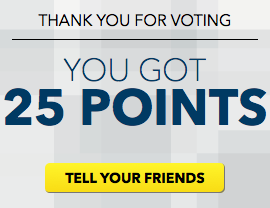
And keep in mind that you only need 250 points to score a $5 Rewards Certificate!
(Thanks, Free Stuff Times & Clip and Follow!)




Click on Member’s choice and vote to get another 25 points.
Thanks Collin and Rebecca
Perfect! Thank you!
Thanks!!! I’m almost to getting my second $5!!!
Wahoo! Only about a 150 more points til $20! (along with previous points and purchase from the holidays)
thanks
thank you for posting this =) also my points weren’t being posted and i emailed them and they fixed my account =)
I just used my first $5 yesterday on something I was holding off on buying for a sale, and I earned all my points based on the user polls mentioned on your website. Thanks so much for posting this! I love easy ways to score discounts!
I’m at 257, how do I get a certificate?
they’ll email you if you have 250 pts selected on the myrewardzone site. I changed my preference to “bank them” so I can decide when to cash out my points for certificates.
Check your acct in about 24 hrs. Then you just print! 🙂
woo hoo i just got 250 points .Thanks Collin my kids will love the certificate.
Mine says “You got 0 points.” What is that about??/!!!! I wonder if I did something wrong? I allowed the app and everything?!
If you log into your reward acct at myrz . com you should be able to see if you got the points. Sometimes it tells me zero, but if I check my acct it shows there.
I’ve gotten that message a few times, however after I closed the tab and reopened to the app, the points were updated. I noticed today that the page wasn’t “liked”, so IDK if that makes a difference if the bubble tells you 25 points or 0.
On the app page, there is a drop down menu next to the points you have and click on My Acct and it’ll show the past few days earnings.
Mine also told me zero today. It never has in the past. I did everything you guys said above and still has not updated my points. When I go to My Acct, it said 25 points for today’s poll, but it has not updated my points on myrz.com or the app. I have opened and closed each a few times and nothing!
I find this app is hit-or miss with applying points– I am about 75 points behind my boyfriend and I started both accounts at the same time and do the polls at the same time. I am going to email them as suggested above. This does not corrected itself after refreshing, logging in and out, etc..
Am I crazy? Where is the user poll? I can’t find it! Pls help! I’m on the app and logged in.
Ok, sorry. I finally figured it out! Thanks. I got 50 points added today by doing the poll and members choice! Plus we got a $5 in store only in the mail this week! Guess were going to BB today!
Thanks Collin!