


Check Your Email! Amazon Return Settlement Notices Are Arriving — Don’t Miss Your Payment
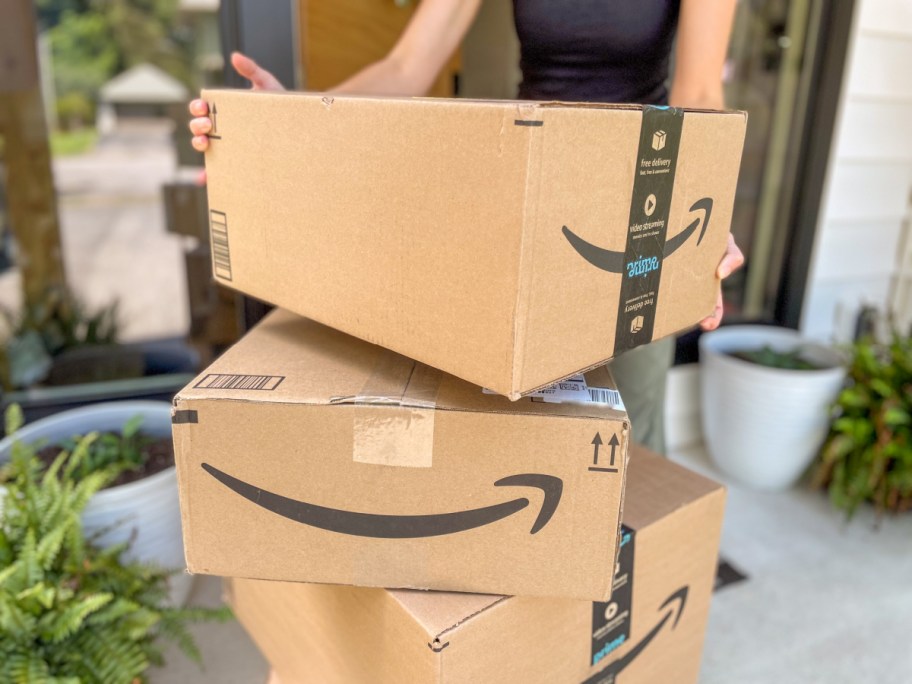
Heads up, Amazon shoppers! If you’ve ever had an issue getting refunded for a return, check your inbox! 👀
Back in January, we shared that Amazon had agreed to a class action settlement involving customers who allegedly didn’t receive the correct refund for returned merchandise or were later recharged for an item they returned.
For me personally, this all ties back to an unexpected $116.59 Amazon refund I received in May 2025! Mine was for an Apple Magic Trackpad I had returned to Whole Foods way back in October 2024.
And now, official settlement notices are hitting inboxes and I just received one!
My email had the subject line “LEGAL NOTICE OF CLASS ACTION SETTLEMENT – IN RE: AMAZON RETURN POLICY LITIGATION” and came from donotreply@returnsettlement.com.
The email confirmed that I’ve been identified as a Settlement Subclass A member, which means I’ll automatically receive a payment under the settlement. I simply scrolled down to “HOW DO I GET A PAYMENT?”, clicked the link, and selected how I’d like to receive my money. There were several payment options available, including Venmo, PayPal, and direct deposit.
So check your inbox before you accidentally delete this one! Did you get the same email too? Let us know in the comments!

I got $3.35
Nice, Lorraine! Thanks for letting us know you received a refund email. ❤️
Is this part of the lawsuit because they reversed refunds for some returns.
Hi Sherry! Here’s the link to the Yahoo! Finance article from our post; as it does share some details about a lawsuit, if you wanted to read a bit more about the details on that. 😊
Yep I got $14
I got $11.60!
I received $25.61
They put $35 into my account
Does the refund go on your credit card or an amazon credit?
Hi Nancy! In Bryn’s email, the refund was mentioned as going back to the original payment method. If that’s not available for any reason, the refund will be issued as an Amazon Gift Card and added to your account instead. 💓
I would like to know if I have anything to do with the Amazon lawsuit. Thank you how does it work?
Hi Erica! If you’re eligible, the refund will be processed automatically! You should receive an email letting you know if you have received a refund, so be sure to check your inbox! 💞
Please explain IN email ty
If you’re eligible for a refund, you should receive an email with all the details! Hope this helps! 💕
Where are we looking for this? An email from Amazon returns?
Thanks
Bryn received her email from Amazon with the Subject Line “Information about your Amazon Order” from no-reply@amazon.com. Hope this helps! 🤗
I got an email also. I was skeptical until i saw this post.
How do you get the refunds? You have to email someone??
If you’re eligible, the refund will be processed automatically and you don’t need to file a claim. ❤️
Thanks for the response but how would you know if you are eligible? Would you have to email first?
You’re welcome! Amazon will determine if you are eligible for a refund. You do not need to take any action. 🤗
Where do you click on? I just see if your eligible for amount on credit card.
Hey Mary! You can click through the link above for the full details and also check for an email with the subject – “Information about your Amazon Order”. Hoping that helps! 💞
I received the email and had $37 refunded.
Awesome! 🙌
I thought it was a scam so I dismissed the email!
I’m sure you’re not the only one, Shari P! Glad to hear that you found this information helpful.
Not really sure that I’m sure of what’s going on here, but I’ve been using Amazon for many years and I’ve never received any kind of refund out of the blue.
Hey Kelly! This is a confusing one for sure! It appears that in past years some have returned items to Amazon and couldn’t get their refund as Amazon didn’t receive details back that it was returned. Some had disputed this with no resolve. Now, years later, Amazon has been able to issue many of those refunds! Yay! Hoping that is more helpful! 🤗❤️❤️
Wow! I’m so thankful you posted this as I’d overlooked my email from Amazon but found they refunded me $75.60!!!
SO amazing, Sue! Very happy this post was a helpful heads up for you to check your email and spot a refund too! 🎉💓
I got $27.55 back in May but nothing recently.
Wait- so these are refunds that we SHOULD have gotten from returning an item, but never got?
Correct. I’ve had it happen a number of times, and when I talked to Customer Service, they’d always say “Rest assured, your refund is being processed. No need to follow up, it will be done!” 🤦♀️ And then the returns would just pend indefinitely, even though the items had already been returned… this is why it’s so important to track your items (and know how much you expect to get back so you can verify it actually happens)!
This really confuses me because if I was due any amount of money on a return from Amazon and didn’t receive it within a few days I would be contacting them for sure. I am not ignoring that kind of money I am due.
On another note, has anyone ever returned an Amazon item with a gift receipt? I got duplicate items for Christmas and returned one with the Amazon gift receipt. I dropped it off at the local UPS on Feb. 11 and it said I’d get the credit by Jan. 28 (today); but now it is still only “half-way” through the process and they’ve moved the date to Feb. 7… It does say it can take up to 30 days and we’re in the. middle of the bad weather here in the south, but seems like quite a long time for a return. I think in the future, I’d just ask the person who bought it to return it and order a different item in its place. :). (Also, I guess I’m used to instant refunds with Amazon so now I’m impatient! Just don’t want it to get lost in the shuffle.)
Hi Tracey! It seems gift returns can take a bit longer, and with UPS delays from the weather, it’s normal for it to take extra time. Keep an eye on the return status in your account, and if it’s still not updated by Feb. 7th, reach out to Amazon. They can make sure it doesn’t get lost. 🤗
A Star Hip2Saver is a recognized member of our Hip2Save community hand selected by our team for demonstrating a long history of engagement with helpful & friendly comments across Hip2Save.com and our social channels. Our Star Hip2Saver badge acts as a verification for readers who know the ins and outs of all Hip2Save sets out to accomplish — assisting our community to live extraordinary lives on ordinary budgets. Readers cannot pay or provide any sort of exchange in order to earn this badge. Rather, they are invited to participate by a member of the Hip2Save team and opt to have the Star Hip2Saver badge added to their profile & comments.
THANK YOU SO MUCH thought this was scam
Oh yay! So glad the post was helpful and you spotted the same email!
Thank you for posting, I just searched my emails, and it was in my inbox, and I didn’t see it from yesterday.
You’re very welcome Tammy! ❤️
Glad you posted this. I had in fact deleted the email and was able to go back and find it. I’m getting $13 but anything is better than nothing. 😁
Oh yay! So glad you were able to go back and find it! 🙌 And hey, $13 is $13! 🎉
I’m confused… When we open the email and click on the “click here to submit a claim” link, I have to attach/include details for each of the orders I want to submit on the claim for supporting proof; such as copies of shipping confirmations, drop off receipts, return labels, carrier receipts, etc. Does anyone else have to do that, or is the email I rec’d something different?
In the email I received, you have to scroll down quite a ways until you see the section that says “HOW DO I GET A PAYMENT?” Under that, there should be a “CLICK HERE TO SELECT A PAYMENT METHOD” link. That’s what I clicked, and it let me choose how I wanted to receive my payment. Hope that helps!
Ohhhh ok. So I figured out there is a difference between subclass A (automatic payment)
Oh interesting! Glad you were able to figure it out. 🙂
So do you have to check the boxes to get the money or just leave them blank, and why is there a choice, what’s the difference??? I read it 3 times, still don’t understand 🙁
Hmm, I’m not sure as it seems in the email Bryn received she wasn’t required to check any boxes. You might try reaching out to Amazon to see if they are able to help further.
OK and thanks for the speedy reply, Trish!
You’re welcome! ❤️
I received the most recent notice, but it asks for various forms of documentation which I don’t know if I even have after all this time. Are others finding this, or am I not understanding correctly? To submit, I had to click the claim, and that’s where it asked for everything. I would love to hear what others are experiencing and/or if I’m missing something. Thanks Hip2Save and community!
Hi there! It looks like this is how Bryn above was able to submit this if helpful! 🤗💕
“In the email I received, you have to scroll down quite a ways until you see the section that says “HOW DO I GET A PAYMENT?” Under that, there should be a “CLICK HERE TO SELECT A PAYMENT METHOD” link. That’s what I clicked, and it let me choose how I wanted to receive my payment. “
I tried that, but my experience was still the same as what I indicated it above. Perhaps this is what’s happening with these October notifications of settlements versus the spring ones? If so, a bummer!
Hi there! I think I may have figured out why you’re seeing something different! I went back and looked more closely at the email I personally received, and mine specifically says that I was identified as a member of Settlement Subclass A and would automatically receive a payment, so I did not have to submit a claim or provide documentation — I only had to select my payment method.
It looks like there is also a Settlement Subclass B, and those members do have to submit a claim form and may be asked for supporting documentation. So I’m wondering if your notice identifies you as Subclass B? That could explain why your process looks so different from mine!
Definitely check your original settlement email to see if it mentions which subclass you’re in. Hopefully that helps clear up some of the confusion!
That was it! Thank you!
Awesome! Thank you so much for circling back and letting us know!
My email says Class A, so I will automatically receive a payout, if I understand this correctly.
I selected an Amazon gift card for payout.
My question is: when will the payout happen? I haven’t received a gift card. I just received an email saying, “Form Submitted for the Amazon Return Policy Litigation.”
I researched some more and found this…
The Final Approval Hearing
25. When and where will the Court decide whether to approve the Settlement?
The Court will hold a Final Approval Hearing on March16, 2027 at 10:00 a.m. at 700 Stewart Street, Seattle, WA 98101.
The date and time of the Final Approval Hearing is subject to change without further notice to the Settlement Class, so please check this website for updates.
At this hearing, the Court will consider whether the Settlement is fair, reasonable, and adequate, and will decide whether to approve the Settlement, Class Counsel’s application for Attorneys’ Fees and Costs, and a Service Award for the Class Representatives. If there are objections, the Court will consider them. The Court will also listen to people who have asked to speak at the hearing.
Thanks for alerting us that this wasn’t a scam! You guys do great work!
Aww, you’re so welcome! ❤️ And thanks for coming back to share what you found! I was just looking into this as well, and it sounds like we’ll all have to be a little patient before those payments start rolling out. So glad we could help confirm this was legit! Thanks so much for the kind words!